Larger without mush
Increase resolution while keeping edges and detail readable for web and print sizes.
IMAGE UPSCALER
Upscale generations and uploads for larger formats, sharper edges and cleaner detail for marketing, ads, and print, inside billimage Background Generator.
BENEFITS
Increase resolution while keeping edges and detail readable for web and print sizes.
Open a generated image or upload a file, then upscale from the same studio quick actions.
Create with Flux, then upscale the keepers when you need a bigger deliverable.
FEATURE HIGHLIGHTS
Push heroes, product stills, and campaign frames to sizes that hold up off the phone screen.
Upscale sits beside download and background removal so finishing work stays fast.
Everything runs through billimage’s existing Background Generator, no duplicate tools to learn.
IMAGE UPSCALER
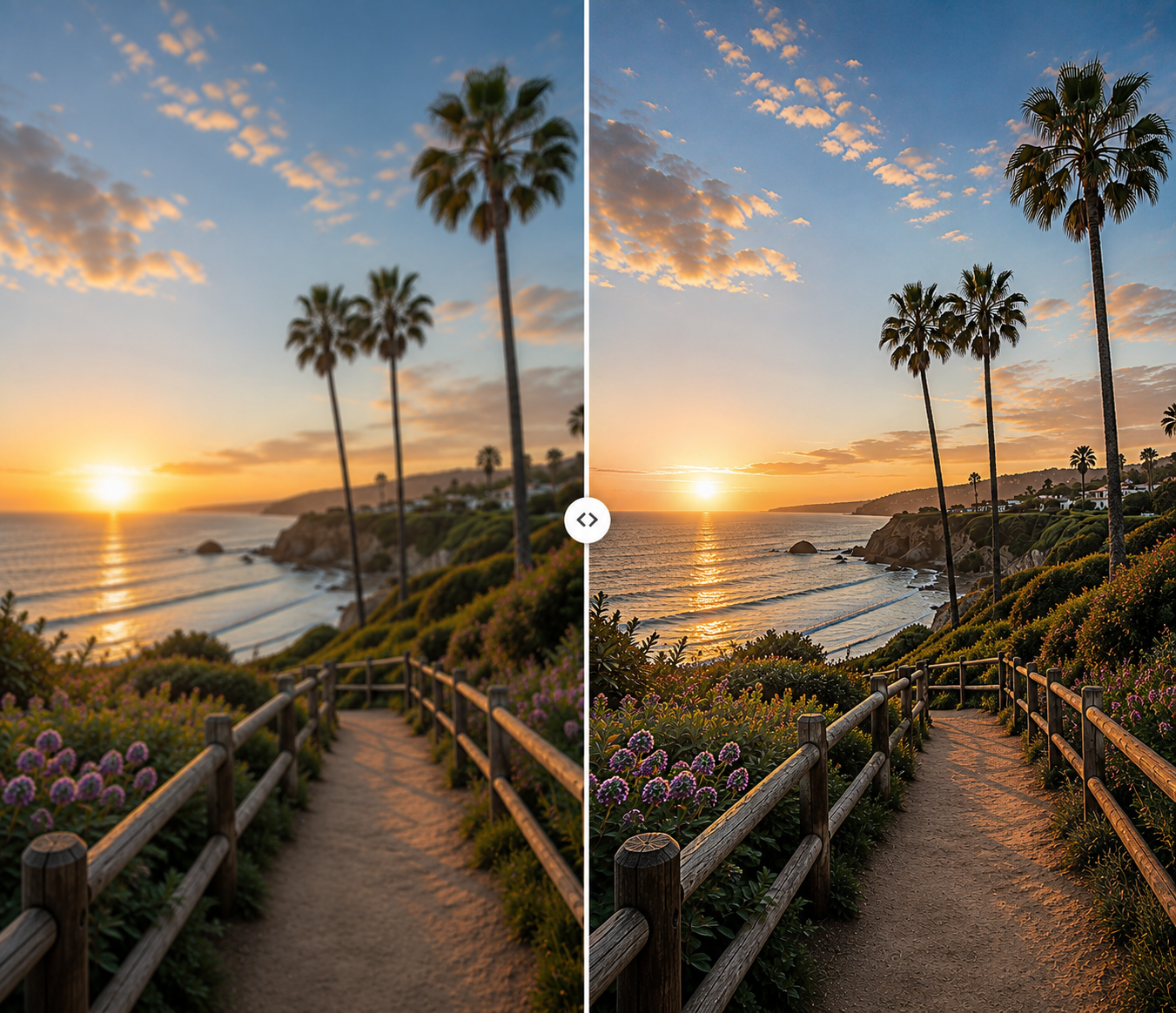
See how billimage prepares imagery for larger formats. Open studio to upscale your own files.

FAQ
Open Background Generator, load an image from upload or library, then choose Upscale in Quick Actions.
Yes. Generate first, then open the result in Background Generator, or pick it from Image History.
Upscale when composition is right but you need more resolution. Regenerate when you want a different creative direction.
No. Image upscaling is part of billimage’s Background Generator workspace alongside cutouts and download.
Open Background Generator with upscale selected and finish images without a new tool.